Website Categories for Screen Time Apps
People do not want a list of 400 domains they visited. They want to hear "you spent six hours on social sites this week" and to set a limit on that one thing.
That sentence only works if every domain has a dependable category. This page explains what screen time and digital wellbeing apps need from category data and how to build it in.
Example: weekly time by category
Illustration only. Each bar is built by mapping visited domains to categories and summing time.
Turn raw visits into a report a parent can read
A list of domains means nothing to a parent, while a chart of games, video and homework does. We supply the label for every visit so your app can do the grouping and the limits.
- Match each visited domain to one or more of 58 categories.
- Group those categories into your own report buckets and daily limits.
- Keep the whole lookup on the phone or your servers, as a file or through the API.
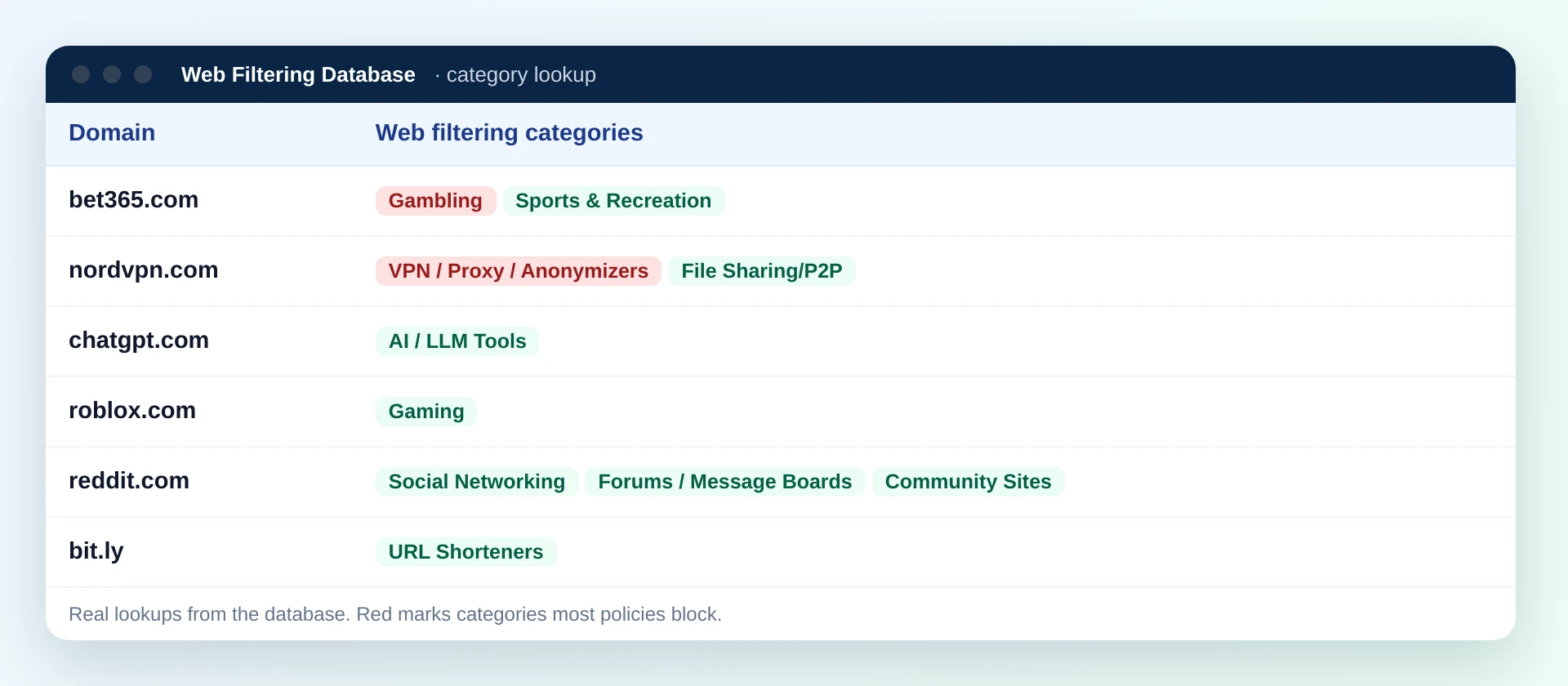
What a screen time product needs from category data
A filter only needs to know whether to block. A screen time app needs more: it labels every visit, sums it, shows it, and sometimes stops it. Each of those jobs puts its own demand on the data.
Labels for every visit
An "Other" bucket that holds a third of the week makes a report useless. Coverage of 120 million domains, with the 20 million most visited covering 99.99% of web traffic, keeps "Other" small.
Category limits
"One hour of video a day" needs every video site in one group, including small ones. Users notice fast when a site slips through a limit.
Focus and bedtime modes
Focus modes block distracting groups and keep work tools open. That needs a clean split between Social Networking, Streaming Media and Web-based Applications.
A main label plus extras
Each domain can carry several categories ranked by how much of the site they describe. The top one drives the time report; the rest help with limits and focus rules.
Privacy by design
Browsing history is sensitive. Files that run inside your own systems let you categorize on the device and avoid sending visits to a third party.
Steady names over time
Users compare this week to last month. A stable set of 58 categories keeps those comparisons honest when the data updates.
Turning 58 categories into report buckets
Few apps show all 58 categories to users. Most group them into eight to twelve buckets with friendly names. Here is one grouping that works well; adjust it to your audience. The full set is on the web filtering categories page.
Social
Feeds, chat communities and forums.
Social NetworkingCommunity SitesForums / Message BoardsVideo and music
Long sessions, the biggest time sink for most users.
Streaming MediaPodcastsArts & EntertainmentGames
Browser games, game stores and game communities.
GamingNews
Reading time many users want to track, not block.
News/MediaPoliticalBlogs/Personal SitesShopping
Stores, marketplaces and deal sites.
ShoppingMarketplaces / Classifieds / AuctionsWork tools
Time users are usually happy to see grow.
Web-based ApplicationsBusinessDeveloper Tools / Code HostingEmail and MessagingLearning
Courses, reference and research.
Education/ReferenceWebinars/E-learningScienceAI tools
A fast-growing bucket users increasingly ask about.
AI / LLM ToolsWhere common sites would count in a weekly chart
These are real entries from our data for sites kids spend time on. Several of them hold more than one label, which you can use for a main bucket and a secondary tag.
| Site | Labels stored |
|---|---|
| youtube.com | Streaming Media, Social Networking |
| minecraft.net | Gaming |
| instagram.com | Social Networking |
| duolingo.com | Education/Reference |
| khanacademy.org | Education/Reference |
| chatgpt.com | AI / LLM Tools |
Which categories matter for limits, focus and blocking
Time reports use every category. Limits and blocks use a smaller set. The matrix below shows how screen time apps usually treat the categories users ask about most.
| Category | Time report | Daily limit | Focus mode | Family block |
|---|---|---|---|---|
| Social Networking | Yes | Common | Blocked | Parent choice |
| Streaming Media | Yes | Common | Blocked | Parent choice |
| Gaming | Yes | Common | Blocked | Time limited |
| News/Media | Yes | Some users | Optional | Rare |
| Shopping | Yes | Some users | Blocked | Rare |
| AI / LLM Tools | Yes | Growing | Usually open | Parent choice |
| Web-based Applications | Yes | Rare | Kept open | Rare |
| Gambling | Yes | Self-limit | Blocked | Blocked |
| Adult | Hidden label | No | Blocked | Blocked |
| VPN / Proxy / Anonymizers | Flag | No | Optional | Blocked |
Limits versus blocks: two different data jobs
A block is binary and acts once. A limit counts time, so every miss adds up across the day. That changes what you should test and how you treat unknown domains.
Blocking
- Decision at the first request
- An unknown domain needs a default rule
- Misses are visible and annoying
- Security categories are always on
- Fits DNS or network level enforcement
Time limits
- Decision at every minute of use
- Unknown domains quietly escape the count
- Misses show up as wrong totals
- Users expect fair treatment of small sites
- Needs foreground app or tab tracking
- Count unknown domains in a visible "Uncategorized" line, and resolve them in the background so the total corrects itself.
- Apply a limit to the whole registered domain, so a video site's subdomains share the same clock.
- Let users move one domain to another bucket. A personal override builds trust faster than any data change.
Offline database, API, or both for screen time apps
Screen time apps see every domain a user opens, so where categorization happens is mainly a privacy decision. Speed matters too: the report must load instantly.
Offline database
A compact index of the most visited domains ships with the app and categorizes visits on the device.
Best for: privacy-first apps, offline use, fast reports. Trade-off: rare domains need a fallback.Lookup API
Your backend asks the included lookup API for each new domain and caches the answer.
Best for: early prototypes and web dashboards. Trade-off: visits leave the device unless you hash or batch them.Both
Local index first, then a domain-only request to your backend for misses, which holds the full file.
Best for: most production apps. Trade-off: one more pipeline to run, fed by the same delta files.Update cadence with regular refreshes
Time totals are only as good as yesterday's data. Here is how category updates flow and when to push them to devices.
About 300,000 newly registered domains are categorized each day and delivered as delta files. Push them to your backend daily and to device indexes in small patches.
New domains are checked again, because many sites add content after launch. A domain that started as a holding page may now be a video or game site.
A second recheck catches sites that changed purpose. Updated labels arrive in the regular deltas.
All other domains are refreshed. Rebuild your device index from the refreshed file and ship it through your in-app data update channel.
Integration steps
From a licensed file to working reports and limits, the work usually splits into eight steps.
Define your buckets
Map the 58 categories into user-facing buckets. Keep the map in a config file so product teams can tune it without a release.
Load the file in your backend
Import the CSV, Parquet or JSON file, index by domain, and store the ranked category list per row.
Build a device index
Select the most visited domains, keep the top two or three labels, compress, sign, and publish through your update channel.
Normalize visits
Reduce each URL to its host, then to its registered domain. Look up the host first and fall back to the registered domain.
Attribute time
Count foreground time against the top-ranked category. Store the domain too, so a later relabel or user override can be applied.
Enforce limits
Check category totals against limits and block the whole bucket when time runs out, including domains that share the bucket.
Handle misses
Send unknown domains, domain only, to your backend. Cache answers on the device for repeat visits.
Wire the delta job
Apply daily deltas to the backend and generate device patches. Monitor that each day's file arrived.
Before launch: a short readiness checklist
- Run a week of real, consented test browsing through the pipeline and check the share of minutes that land in "Uncategorized". Aim to keep it small and falling.
- Open the twenty sites your target users visit most and confirm each lands in the bucket users would expect.
- Set a one-minute limit on each bucket and confirm the block covers the main site, its subdomains and a known mirror.
- Turn off the network and confirm reports still build from the device index, with misses resolved once the device reconnects.
- Apply a test delta file and confirm devices pick up the patch without a new app release.
- Check that no request from the device carries a full URL, path or search term to your backend, only the domain.
Newer sites are what fill an Other bucket
The data grows by about 300,000 newly categorized domains each day, so the unlabeled share of visits stays small when you refresh. Use updated files or the real-time API for domains your device copy has never met.
Report design tips that depend on the data
Good category data still needs careful presentation. These tips come from common questions screen time teams raise during integration.
- Show the top three domains inside each bucket. Users trust a "Social: 6 hours" line more when they can see which sites made it up.
- Treat video platforms that also host learning content with care. Use the second-ranked label or IAB detail to split "learning video" from "entertainment video" where you can.
- Keep search engines in their own bucket. Search is a starting point, and folding it into "Other" hides a large share of time.
- Separate AI tools from general work tools. Users and parents now ask about AI time specifically, and a separate bucket answers that directly.
- Do not label time spent on banking, health or government sites in shared family reports unless the account owner chooses to.
- Use one category set across web and apps where you can, so a social app and its website count toward the same limit.
Common data problems and how to avoid them
Most complaints about screen time reports trace back to a handful of data problems. Each one has a straightforward fix in how you use the categories.
The "Other" bucket grows
Usually a sign the device index is too small or the miss path is broken. Track the share of uncategorized minutes per day and alert when it rises.
Infrastructure counts as browsing
Background calls to content delivery and ad hosts inflate totals. Exclude CDN / Hosting / Infrastructure and Advertising/Marketing domains from time tracking.
Short links hide the real site
A tap on a short link briefly shows the shortener before the target loads. Do not count time against URL Shorteners; count it against the destination.
Mirrors escape limits
Copies of video and game sites appear on fresh domains. Daily delta files for newly registered domains keep those mirrors inside the right bucket.
Same service, two labels
A platform's main site and its login or upload subdomain may carry different labels. Decide whether limits follow the host or the registered domain and apply it consistently.
Parked pages in reports
Typos land users on parked domains. Hide Parked / For-Sale Domains from reports, or show them as a single neutral line.
One category set for web and app usage
Screen time products track native apps as well as websites. Users expect a social app and its website to share one limit. Map each app to the domains it uses, then reuse the same website categories.
| Source of usage | How to get a category | Watch out for |
|---|---|---|
| Browser tab | Normalize the URL to its host and look it up locally, then in your backend. | Private tabs and background tabs that are open but not used. |
| Native app | Link the app to its main website domain and inherit that domain's category. | Apps with several purposes, such as messaging plus video. |
| In-app browser | Treat it as a browser tab and categorize by host. | Time that should count against the website, not the host app. |
| Router or DNS view | Categorize the queried domain. Useful for whole-home reports. | Background traffic: filter infrastructure categories out first. |
| Smart TV or console | Usually DNS level only. Count sessions rather than exact minutes. | Many shared domains across apps on the same device. |
Licensing website categories for a screen time app
Category data inside a consumer app is an embedded use, so it falls under an OEM licence. Read how it works on the OEM licensing page.
OEM licence for your app
The data runs inside your app and backend and powers reports, limits and focus modes. Users see buckets and decisions, never the raw file.
Group-wide licence
For companies that run a screen time app plus a family filter or a workplace productivity tool. One licence can cover all of them.
No raw data resale
Resale or publication of the raw data is not allowed, so do not expose a downloadable domain list inside the app.
Pricing
Starter database tiers from $999; enterprise and OEM licences are quoted per deployment. See pricing.
Maintaining your own site labels or licensing ours
Screen time apps live or die on whether the chart looks right, so the data choice matters.
| What the app needs | Label sites yourself | License the database |
|---|---|---|
| Chart buckets | Invent a scheme and keep it consistent | 58 defined web filtering categories to group from |
| Breadth of sites | The few thousand you have reviewed | 120M+ categorized domains |
| Sites seen for the first time | Land in Other until someone reviews them | About 300,000 new domains categorized daily |
| Blocking and limits | Two lists to build and keep aligned | One label set that drives both |
| Delivery | Your own pipeline | CSV or JSON files, real-time API or offline database |
Screen time category data FAQ
Why does a screen time app need website categories?
Users want to know where their time went and to set limits by type of site, such as social or video. A category for every domain turns raw browsing time into readable reports and category limits.
Which categories should a time report show?
Most apps group the 58 categories into eight to twelve report buckets, such as social, video and streaming, games, news, shopping, work tools, learning and other. The finer IAB Content Taxonomy can sit underneath for detail views.
Can the data run on the device for privacy?
Yes. The data is delivered as files that run inside your own systems, so you can ship a compact on-device index of the most visited domains and only ask your backend for rare domains.
How fresh is the category data?
About 300,000 newly registered domains are categorized every day as daily delta files, rechecked after a week and a month, and all other domains get regular monthly refreshes.
What happens when a domain has several categories?
Each domain can carry several categories ranked by how much of the site they describe. Screen time apps usually count time against the top-ranked category and use the others for limits and focus rules.
How is the data licensed for a consumer app?
Apps that embed the data use an OEM licence. The data powers your features, while resale or publication of the raw data is not allowed.
A database plan costs $999 and above, beginning with the 1 million most popular domains. An OEM licence for an app or device that ships the data starts at $10,000 a year.
Make every minute in your reports land in the right place
Tell us about your app, your platforms and your privacy model. We will suggest a data layout and the licence that fits.